A control system for AI coding

Build with AI.
Stay in control.

Vibe coding is fast until it breaks: code nobody understands, a project you cannot change safely. Blueprint runs focused skills that plan, build, and prove one feature at a time, turning every decision into durable state you can inspect.

See how it works
Open sourceWorks with Codex and Claude CodeUse your own stack
one feature / complete loop
AI Blueprint / build loopfeature complete
Setup ready
/overview → project-overview.md
01
/feature
SPEC
current-feature.md
REVIEWED
02
/implement
BUILD
3 small code diffs
APPROVED
03
/check
PROVE
4 / 4 done-whens
PASSED
04
/complete
LAND
history/features/03.md
ARCHIVED
↻ NEXT FEATUREbuild-plan.md updated
Optional helpers
/brief
preview
/try
manual path
/tests
unit setup
/ci
GitHub checks
/audit
code quality
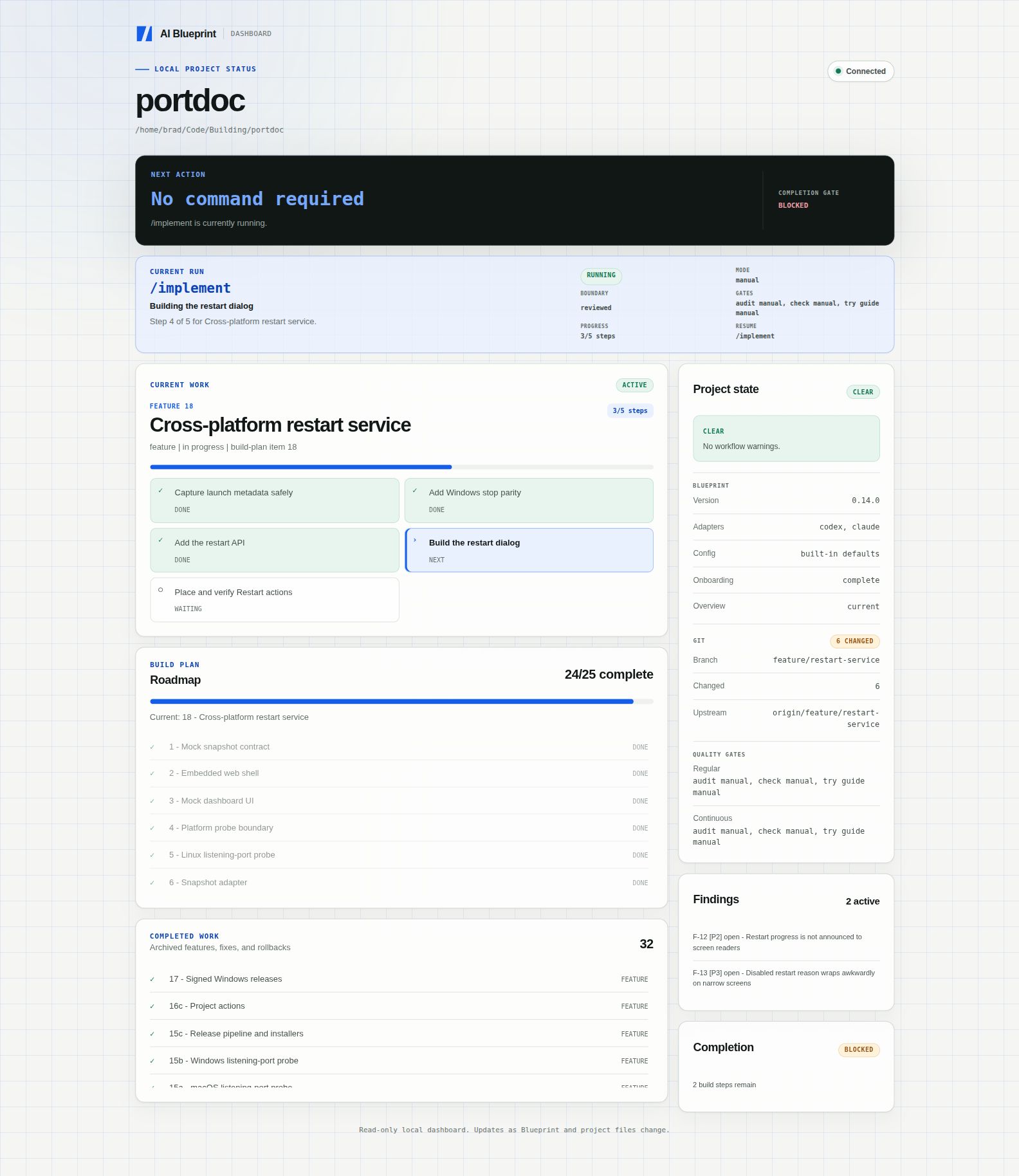
/status
anytime
WORKS WITH
CODEXCLAUDE CODE
STACK AGNOSTIC
ANY LANGUAGEANY FRAMEWORK
Latest update

AI Blueprint 0.9.0 adds a project status CLI

Version 0.9.0 adds read-only terminal status, versioned JSON output, and an optional global blueprint command.

View all updates
Start here

Install Blueprint after you have an app.

Starting fresh? Scaffold an app in your preferred stack first. Already have a working codebase? Install Blueprint inside it and use the adoption path.

FRESH PROJECT

Scaffold first. Add Blueprint second.

Create the app in your preferred stack, then install Blueprint and tune the workflow to the new repo.

$ npx create-astro my-app
$ cd my-app
$ npx create-ai-blueprint@latest
/onboard
write plans directly or run /discovery
/overview
EXISTING CODEBASE

Adopt what already works.

Blueprint surveys shipped features and existing conventions, then generates plans that reflect the real project.

$ cd established-app
$ npx create-ai-blueprint@latest
/adopt
review generated plans
/overview
The workflow

Set up once. Build every feature through the same controlled loop.

The setup creates durable project context. Then every feature moves through a spec, implementation, proof, and review cycle.

01 / Setup

Run once per project

Give the agent a durable understanding of what you are building.

1
Scaffold app
YOUR STACK
2
Install
ADD BLUEPRINT
3
/onboard
TUNE WORKFLOW
4
Write 2 plans
project + build
5
/overview
project-overview.md
02 / Feature loop

Repeat for every feature

One scoped feature moves through visible human review gates.

HUMAN IN CONTROL
SPEC
/feature
or /fix for a bug
current-feature.md
REVIEW
BUILD
/implement
small code diffs
PROVE
/check
behavior evidence
/auditoptional quality
REVIEW
LAND
/complete
history + next
Optional bounded pass
/autopilot
spec + build + check + targeted audit
stops for review
NEXT FEATURE
/briefbefore the spec
/trymanual review path
/statusavailable anytime
Files behind the workflow

Readable state.
No hidden memory.

You own the plan. Blueprint turns it into durable context, one active feature, and a readable history of what shipped.

Clear the chat or come back next week and the next session resumes from those files, not from a conversation it no longer has.

01You own the project and build plans
02Skills generate project and feature context
03Completed work becomes project history
file-backed state / 05
01 project-plan.md owned
# Product
Problem, users, features, stack
02 build-plan.md owned
[x] App shell
[ ] Review flow
03 context/project-overview.md generated
PRODUCT
What and why
ARCHITECTURE
Stack and rules
UX
Routes and states
04 context/current-feature.md active
# Feature 3: Review Flow
Spec approved before code
Build in 3 reviewable steps
Prove all done-whens
05history/features/03-review-flow.mdarchived
Why Blueprint holds

AI projects drift when scope, decisions, and proof live only in chat.

Structure that stays out of your code.

Blueprint is a workflow layer, not an app starter. Your framework, architecture, and product choices stay yours.

01

Specs keep scope clear

The agent writes the feature spec first, then stops. You approve the shape before code exists.

/feature → review → /implement
02

State lives in files

Plans, current work, standards, and history live beside the project in readable markdown.

blueprint/context/*.md
03

Review gates stop drift

The agent shows diffs, runs the real app, and proves each done-when before work lands.

/check → evidence → /complete
Commands with boundaries

Use the right agent behavior at the right time.

Setup
/onboard

Tune a fresh scaffold

/adopt

Survey existing code

/doctor

Check workflow health

Plan
/discovery

Develop plans through conversation

/overview

Generate project context

/brief

Preview upcoming work

/prototype

Lock the visual direction

Build loop
/feature

Write a reviewed spec

/rollback

Reverse completed work

/implement

Build in small steps

/autopilot

Run one bounded pass

/complete

Archive and close out

Prove
/tests

Add the unit test gate

/ci

Automate the Verify recipe

/debug

Diagnose without editing

/check

Observe the real app

/try

Generate manual steps

/audit

Audit broadly or by lens

Optional capabilities

Add quality gates when your project needs them.

Blueprint stays lightweight by default. Add unit testing when application logic appears, run the same Verify recipe locally and on GitHub, then prepare release checks when the project is ready to ship.

Any timeTesting + CI
/tests + /ci

Share one real verification recipe.

Add the stack-native test runner when you need it, then let Blueprint define one Verify command from the configured typecheck, tests, and build. GitHub Actions runs that exact recipe automatically.

01
Detect checks
02
Add tests
03
Define Verify
04
Automate CI
Existing CI stays intact, and remote rules remain a separate choice.
After /completeRender + Vercel
/release

Prepare the project to ship.

Blueprint checks the build, start command, output directory, environment names, and health path. It can prepare local Render or Vercel configuration when the project needs it.

01
Choose target
02
Run checks
03
Prepare config
04
Review release
Nothing deploys, publishes, or changes a remote service without your explicit approval.
A different layer

Keep your stack.
Add a workflow.

Blueprint does not compete with app starters or coding agents. It gives them durable context and clear review boundaries.

OptionWhat it gives youWhat is still missing
App boilerplateStarter code and patternsYour product plan and workflow history
Chat-only AI codingFast implementationDurable project state
AI BlueprintA file-backed workflowApp code is still yours to choose
FAQ

Questions before you start.

Is this a SaaS starter kit?+

No. It installs workflow files and agent skills, not auth, billing, database code, or UI components. Scaffold the app you actually want first.

Does it lock me into an AI tool?+

No. The project state lives in markdown. Adapters currently support Codex and Claude Code, and the workflow can be understood by other coding agents.

Do I have to use every command?+

No. The core loop is feature, implement, check, and complete. Discovery, brief, debug, try, audit, tests, CI, release, prototype, rollback, and autopilot are optional tools for specific situations.

Can I use it on an existing project?+

Yes. Run the adopt workflow. It surveys the real repo and creates plans that account for features you have already shipped.

Build faster without giving up the plan.

Install AI Blueprint inside the app you already scaffolded. Your code stays yours. Your workflow gets clearer.

Read the docs